
Computational Thinking and Information Technology Basics Handwritten Newspaper Topics
Need to make a Computational Thinking and Information Technology Basics Handwritten Newspaper poster? Find topic options, copy references, section ideas and layout suggestions.
Topics you can use

How to Make a Conditional Judgment Handwritten Newspaper with If-Then Thinking
This article plans a handwritten newspaper around conditional judgment. It uses everyday examples such as taking an umbrella in the rain or stopping at a red light to explain the if-then format, and offers section ideas, text material, and layout suggestions for a programming thinking and IT启蒙 project.

What Is a Variable? Make a Programming Thinking Handwritten Newspaper with “Label the Information”
A variable can be explained as a named box that stores changing information. This article offers a clear handwritten newspaper plan with box-and-label drawings, examples like names, scores, and temperatures, plus layout and color suggestions for a fun programming thinking page.

What Is a Loop? A Programming Thinking Handwritten Newspaper
This guide explains loops through familiar repeated actions and provides simple facts, questions, an activity section, and a circular layout plan to help children create an engaging programming thinking poster.

Why Do Computers Use Only 0 and 1? A Binary Numbers Poster Guide
This guide turns the question “Why do computers use 0 and 1?” into an accessible classroom poster. It uses switches, number cards, and pixel grids to explain binary ideas, while offering short text, conversion activities, section ideas, layout guidance, and practical coloring tips.
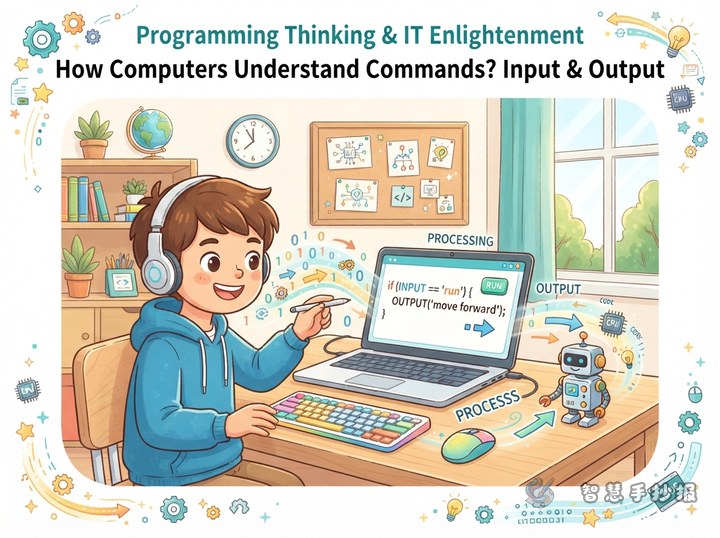
How Does a Computer Understand Commands? Input and Output Handwritten Newspaper
This topic explains how a computer understands commands through input, processing, and output. It works well with keyboard, mouse, and screen illustrations, making it easy for children to finish a neat layout.

How to Make an Information Safety Handwritten Newspaper: Password Detective
Use a Password Detective as the creative theme and turn information safety into keys, shields, and clue cards. This guide includes copy-ready tips, four useful sections, color ideas, and layout steps for an elementary school technology project.

How to Make a Programming Thinking Handwritten Newspaper with a Flowchart
This project uses the idea that everyday steps can become a flowchart. Students can show starts, actions, decisions, and finishes, then combine the main route with short programming notes, a mini question section, and simple color and layout advice.

What Should You Write on a Computational Thinking Handwritten Newspaper? Explain Debugging Through Mistakes
This topic uses debugging as a clear entry point to computational thinking. It breaks the idea into noticing, analyzing, changing, and verifying, then adds everyday examples, ready-to-use short text, a magnifying-glass route layout, and color tips for primary school children.

How to Make a Computational Thinking Poster with a Mission Challenge
This poster uses a mission challenge as its main idea. Four checkpoints—spot the problem, break it down, order the steps, and test the result—are combined with an everyday program card and a mini challenge to help children understand computational thinking through a lively, readable layout.
Want to create a poster now?
Scan with WeChat, enter this theme, and generate the layout, section copy and line art.
 Scan with WeChat