Start with a familiar idea from everyday life
A handwritten newspaper about smart assistants around me works best when it stays close to daily experience. Children do not need to explain difficult technology. They can write about smart tools at home, at school, and on the road, such as voice speakers, navigation apps, smart watches, learning tools, or automatic devices people use every day. This makes the topic easy to understand and easy to draw.
Possible main titles include Smart Assistants Around Me, Technology Helping Daily Life, or Little Helpers in Modern Life. A short subtitle can explain that technology makes life more convenient, safer, and more interesting.
Use four simple sections for a clean layout
Section 1: Where can we find smart assistants?
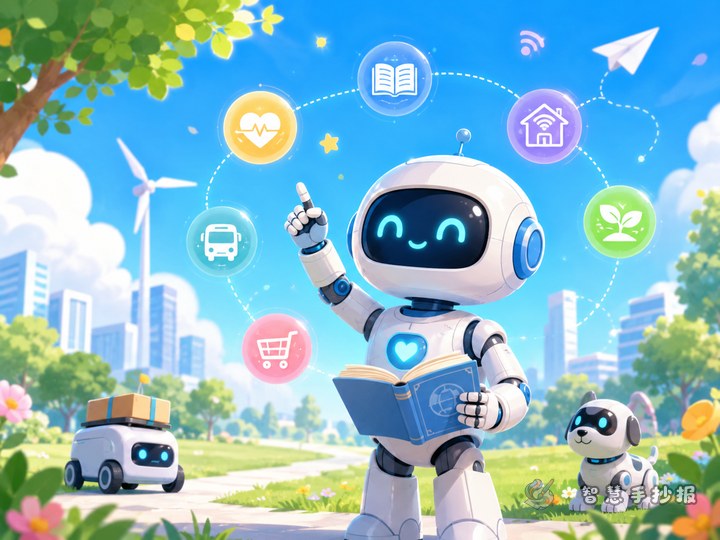
- At home: robot cleaners, voice speakers, smart watches
- At school: digital boards, learning platforms, smart devices
- On the road: map apps, code scanning, travel tools
Section 2: What do they help us do?
- Find information more quickly
- Remind us about time and tasks
- Help with travel and directions
- Improve study and daily efficiency
- Support children and older family members
Section 3: What should we be careful about?
- Do not share private information carelessly
- Do not spend too much time on devices
- Learn to judge information carefully
- Use technology with guidance from adults when needed
Section 4: My own thoughts
Students can write a short personal idea such as: smart assistants do not replace people, but they help us finish tasks more easily. We still need to think, choose, and act by ourselves.
Ready-to-use writing materials
What is a smart assistant?
A smart assistant is a kind of technology that helps people based on their needs. Some can understand simple commands, some can organize information, and some can finish part of a task automatically. They appear in study, travel, home life, shopping, and safety, making daily life easier.
How do smart assistants help us?
In the morning, a smart alarm reminds us to wake up. On the way to school, a map helps families choose a better route. At home, cleaning devices help keep rooms tidy. During study time, digital tools help organize knowledge. Smart assistants may seem small, but they are helping us in many parts of life.
What can we learn from technology?
Technology is not meant to make people lazy. It is designed to help solve repeated, difficult, or inconvenient tasks. When we use smart tools, we should stay curious, think carefully, and use them in a safe and responsible way.
A layout idea that looks neat and lively
A good page design is to place the main title in the center or top, then arrange four sections around it. Put “Where we see them” on one side, “What they do” on another, and place “Safety tips” and “My thoughts” in the lower area. This structure is clear and easy for children to copy neatly.
- Color ideas: blue, green, and orange for a bright technology feel
- Decorations: speech bubbles, signal marks, gears, light bulbs, watches, tablets
- Text design: keep the main title large and section titles clear
- White space: leave enough room between sections to make the page clean
Easy ways to make the work more interesting
To make the handwritten newspaper more vivid, add a small corner called Smart Functions I Noticed Today and list two or three examples from real life. Another fun idea is The Smart Assistant I Want to Invent, where students imagine a helper that reminds them to pack their schoolbag, organize homework, or protect their eyesight.
If time is short, first finish the title, section boxes, and short text, then add borders and icons in the remaining space. After the draft is done, families and teachers can also continue improving the page in the Zhihui Shouchaobao WeChat mini program for a smoother making process.