Build the Theme Around a Motion Path
A translation and rotation poster should make movement easy to see. Choose a triangle, arrow, pinwheel, or simple shape as the main visual. Arrange the page from left to right: introduce translation first, compare the two motions in the center, and show rotation on the right. Straight arrows and curved arrows near the title can create a lively sense of movement.
Turn the Key Ideas into Four Learning Cards
What Is Translation?
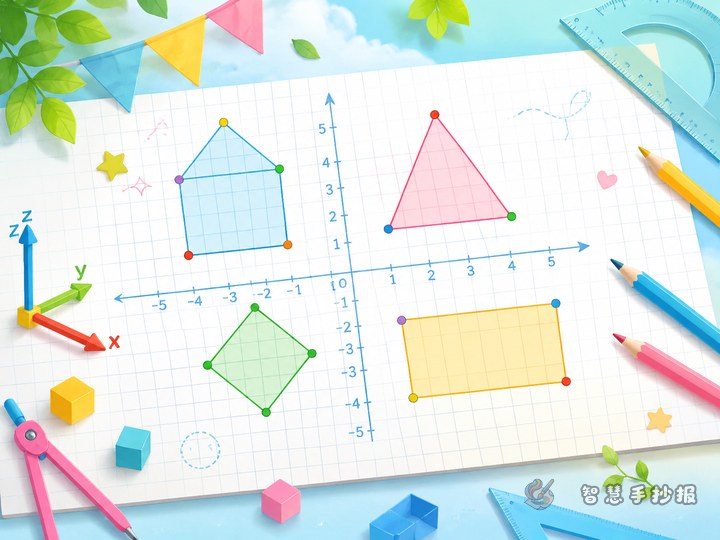
Translation moves a shape a set distance in a particular direction. Its size, shape, and orientation stay the same, while its position changes. Draw the same shape twice on a grid and connect the two positions with a straight arrow.
What Is Rotation?
Rotation turns a shape around a fixed point called the center of rotation. The direction and angle of the turn are also important. Clock hands, pinwheel blades, and spinning wheels are simple examples to illustrate.
How Are They Different?
A translation usually moves a shape along a straight path, while a rotation turns it around one point. Neither motion changes the shape or size. A small comparison chart can cover the path, change of orientation, and information needed to describe each motion.
Where Do We See Them?
- A sliding drawer and a rising elevator help explain translation.
- A turning doorknob, clock hand, and pinwheel help explain rotation.
- Keep each example simple so that the before-and-after positions remain visible.
Make Every Change Visible
Use straight arrows for translations and write labels such as “3 squares to the right.” For rotations, draw a curved arrow and clearly mark the center, clockwise or counterclockwise direction, and angle when appropriate. A light outline for the starting position and a darker outline for the final position make comparison easier.
Ready-to-use conclusion: To identify a movement, first follow the path of the shape and then check whether its orientation changes. A whole shape moving along a straight path is usually a translation, while a shape turning around a fixed point is a rotation.
Arrange the Page Like a Motion Track
- Place the main title at the top and add only a few arrow decorations around it.
- Use a grid on the left for translation examples and circular or fan-shaped frames on the right for rotation examples.
- Add a comparison section in the middle to connect both sides of the page.
- Reserve the bottom for a “Name the Motion” activity with an elevator, pinwheel, or sliding door.
Check the Poster Before Finishing
Sketch the section boxes and starting shapes in pencil first. Add the final positions before outlining and coloring. Check that translated shapes keep the same orientation and that every rotation has a clear center and direction arrow. Three or four colors are enough, and matching colors should connect each pair of shapes. After planning the material, users can scan to open the WeChat Mini Program “智慧手抄报” and continue creating the poster.