Pick One Tomato Plant as the Star of Your Handwritten Newspaper
Before you design the layout, choose a tomato plant to observe. It can be one you grow yourself, or one in a garden, school, or balcony that you can check regularly. Give it a nickname like Little Lantern or Red Treasure, and build the whole newspaper around that single plant.
If you have not started growing yet, choose a tomato seedling as your starting point. Note the date you got it and what the first leaf looks like, then add flowering and fruiting changes later.
Turn the Growth Journey into a Timeline with Six Key Stages
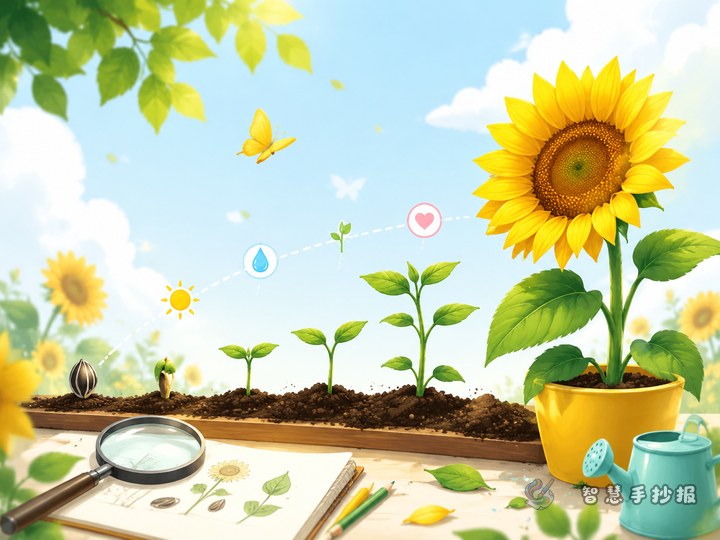
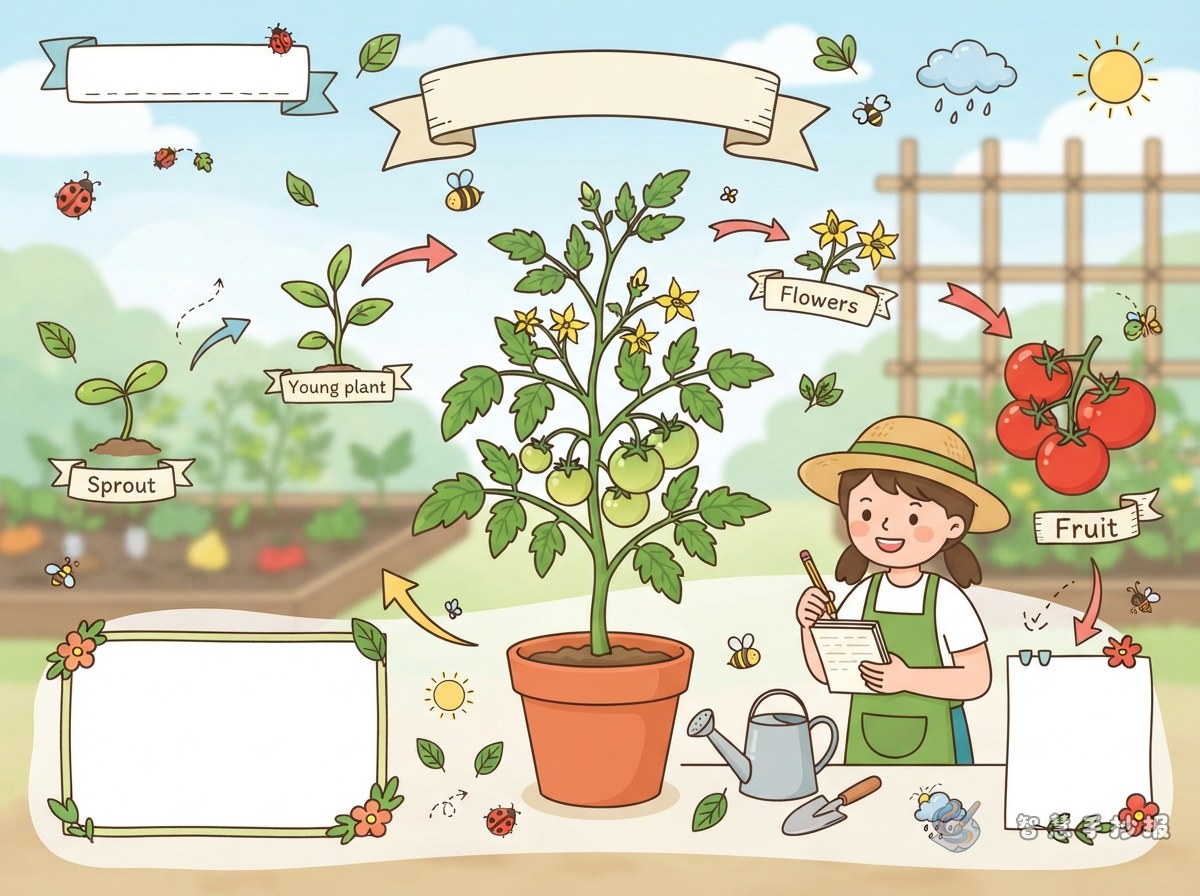
Tomatoes change so much that writing everything down can feel messy. Pick six key stages and follow them along a timeline:
- Sowing: Write the date, seed color, soil moisture, and where you placed the pot.
- Sprouting: Draw the first pair of tiny leaves and note how many days it took to break through the soil.
- Leaf growth: Record the number and shape of leaves, any smell, and whether the plant grew taller.
- Flowering: Note the color of the first flower, how many petals it has, and where it appeared.
- Fruit setting: After the flower fades, describe the tiny green fruit and measure its size.
- Color change: Record how many days the fruit takes to turn from green to yellow and then red.
You can draw the timeline as a vine, mark the stages with small circles or tomato icons, and leave lines beside each stage for your notes.
How to Arrange the Sections Around Flowering and Fruiting
Suggested sections
- My Tomato File: Variety, planting date, location, and plant height.
- Weekly Observation Chart: A table for dates, weather, changes, and discoveries.
- Flowering and Fruiting Secrets: How a flower becomes a fruit and why sunlight and water matter.
- Draw the Fruit Changes: Sketch four or five fruits and label the color order.
- Grower Q&A: Ask questions like “Why do leaves turn yellow?” or “Do I need a stake?”
Place Flowering and Fruiting Secrets in the center, and surround it with the timeline and observation chart. This creates a natural reading flow. You can put Grower Q&A in the lower right corner with question marks or a small megaphone icon.
Short Observation Sentences You Can Copy
Keep your notes short and clear. A simple pattern works well: date + change + discovery. You can copy or adapt these sentences:
- On day 5 after sowing, the soil surface bumped up. I think the seed is sprouting.
- When the first true leaf opened, its edge had tiny saw-like teeth.
- The flower opened. Its petals are yellow, like a little star.
- After the flower faded, a small green ball stayed at the base. That is a tiny tomato.
- The green fruit turned pale yellow, then slowly red. It changes every day.
- I gave the tomato a small bamboo stake, and it finally stood up straight.
You can also write My Discovery in a corner of the page and mark it with a different color so readers notice your key observation.
Layout and Illustration Ideas for Vines, Flowers, and Fruit
A tomato newspaper works well with a vine or bamboo frame. Draw leaves in the four corners and show fruits as circles at different ripeness levels. A title like Tomato Growth Diary or From Seed to Red Fruit helps set the theme, and small arrows can link the timeline stages.
Try this layout: timeline on the left, a flowering-to-fruiting diagram in the center, observation chart and Q&A on the right, and a horizontal strip at the bottom for your growing thoughts. Use green, yellow, and red as the main colors, but leave enough white space for writing. Draw some fruits green, some pale yellow, and some red to show the color change.
A Few Reminders Before You Start
Observation notes are better when they continue over time. Writing one or two real changes each time is more convincing than writing everything at once. After finishing, check that dates, numbers, and stages are in the right order. If you want to combine a timeline, observation chart, and illustrations more quickly, open the Smart Handwritten Newspaper WeChat mini program, choose a plant-themed layout, and fill in your own observation notes.