Start with One Reliable Ruler
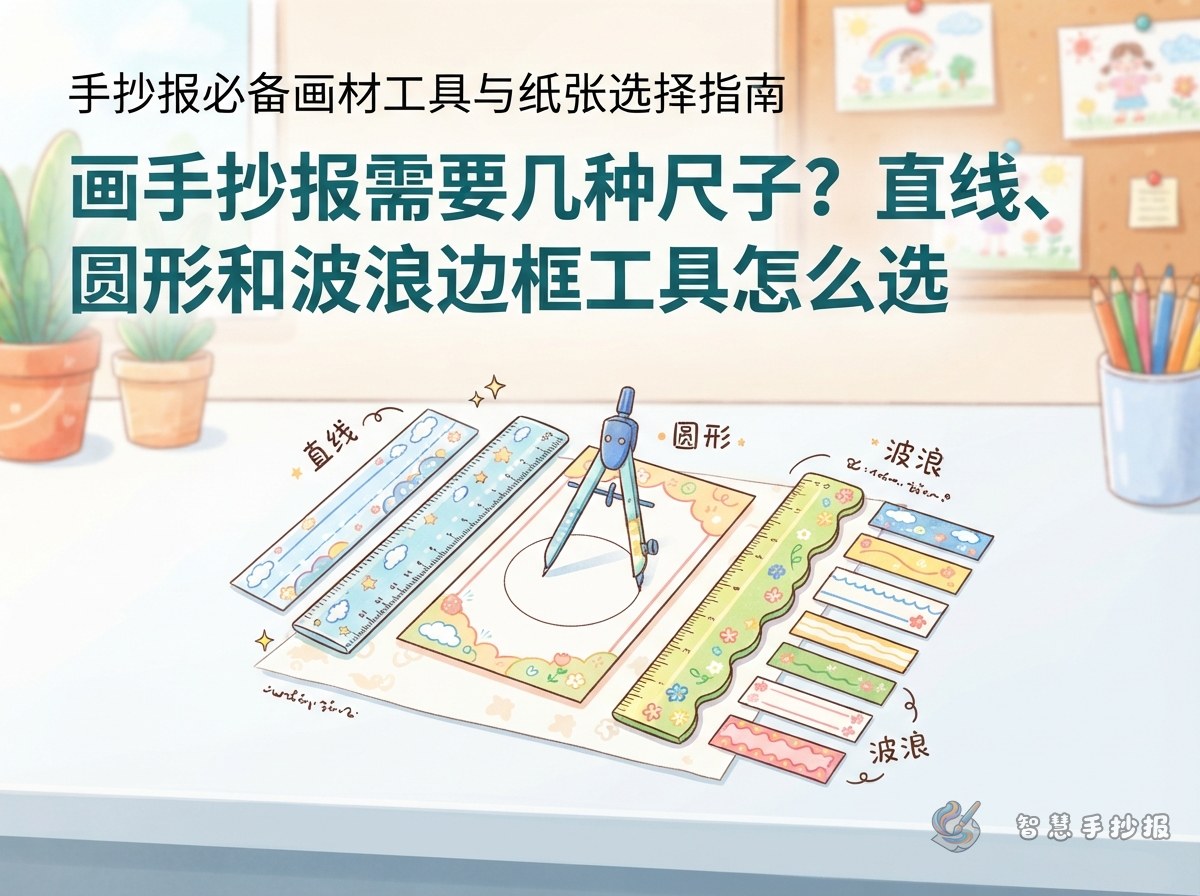
Most school posters can be planned with a single transparent 20 cm or 30 cm ruler. It is enough for page margins, content columns, writing guides, and title placement. A clear ruler lets children see pencil marks underneath, while readable measurements make balanced spacing easier.
A 20 cm ruler is convenient on A4 paper, while a 30 cm ruler saves time on A3 sheets. Look for a straight edge, clear markings, and a non-slip strip or textured grip area.
Match Shape Tools to the Illustrations
- Compass: useful for globes, clocks, badges, and large circular sections.
- Circle template: a simple choice for speech bubbles, fruit, faces, and repeated small circles.
- French curve: suitable for rivers, clouds, ribbons, and soft section dividers.
- Wave ruler: works well for ocean, summer, or reading themes, but should be used sparingly.
- Set square: helpful for vertical lines, parallel columns, geometric borders, and math or technology topics.
Let the Content Decide the Layout
Choose tools after deciding what the poster will say. An environmental poster might include “Eco Facts,” “What I Can Do,” and “A Green Pledge.” Use a straight ruler for the main text areas and a curve for a river or tree canopy. A math poster could feature “A Mathematician’s Story,” “Math in Daily Life,” and “A Quick Puzzle,” framed with simple geometric shapes.
For a reading poster, possible sections include “Book Recommendation,” “Favorite Lines,” and “Reading Tips.” Circle templates can create bookmarks, glasses, or speech bubbles. Keep each section focused on one idea, with a short heading and two or three explanatory sentences.
Build the Page from Guide Points
- Make faint pencil marks about 1 to 2 cm from the paper edges to establish a safe margin.
- Mark the corners of each planned section and compare their sizes before drawing full lines.
- Connect the points lightly, leaving clear spaces for the title, body text, and illustrations.
- Write the content first, then trace only the borders that should remain visible.
- Test circles and curves on scrap paper before drawing them on the final sheet.
Prevent Slipping and Ink Smudges
Hold the center of the ruler firmly with the non-writing hand. Keep the pen tip slightly away from the ruler edge so ink cannot collect underneath it. After inking a line, wait briefly before moving the ruler and wipe its edge regularly.
When the draft is complete, check that margins are consistent, sections have enough open space, and decorative lines do not overpower the writing. For additional layout ideas, open the Smart Handwritten Poster WeChat Mini Program, select a topic and structure, and then use your ruler to transfer the suggested section placement to paper.